How it works
From one tap to thousands of eyes
SafeLocator is built for the minutes after you realise someone is missing. Here is exactly what it does, and the few things it deliberately doesn't.
1. Set up once
Install the app and create an account. Tell it which area to watch: your home town, typed as an address, town or postal code, anywhere in the world. You can add two more, like the grandparents' town or the school. Everyone is asked this, helpers included, because it is how alerts reach you. We store the area, not your location.
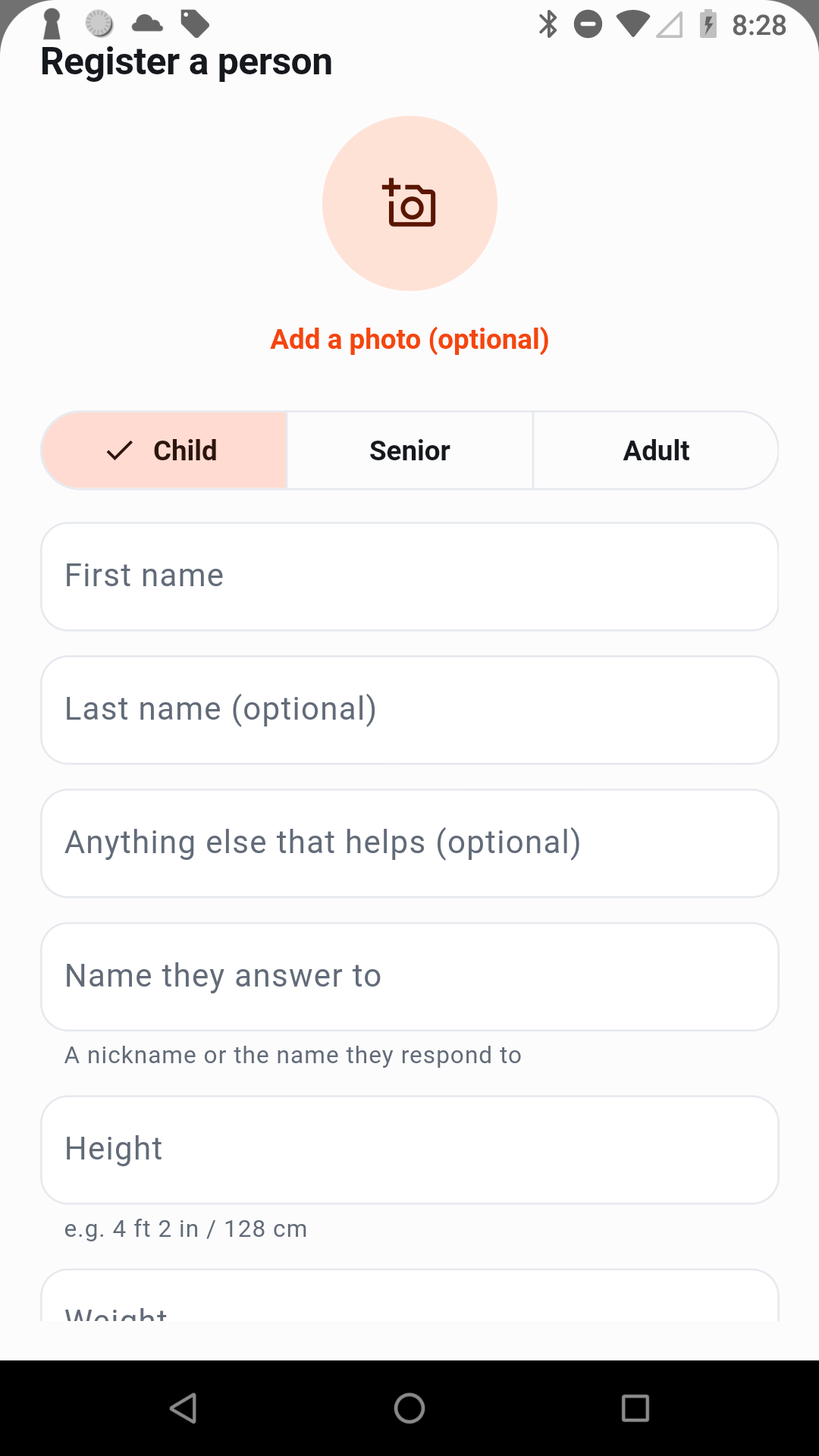
Then add the people you're responsible for. Each person is a child, a senior or an adult. That changes what the app asks about (school and special needs for a child; memory condition, mobility aids or a car for a senior) and how the alert is worded.
2. At an event, check in
Checking in to a venue puts you on its alert channel: you receive anything raised there, and you can raise one yourself. At venues with a SafeLocator beacon, Android phones check in automatically when you arrive and out when you leave. On iPhone, it's one tap.
3. If they go missing, tap Send Alert
Who gets the alert depends on where you are:
Checked into a venue
Everyone checked into that venue, within seconds.
Not at a venue
Everyone watching your postal area and the areas around it.
Anywhere: "alert here"
Centred on exactly where you are right now.
One open alert per person at a time. For a venue alert, the server checks that you are really there.
4. If they aren't found, the search widens
The alert escalates on a timer through nine widening steps. Each is sized to how far someone could plausibly have travelled: walking pace early on, vehicle speed later. Early steps are deliberately calm, because an app that cries wolf gets ignored. Once it moves, it moves fast.
You never have to drive it. Widening up to statewide runs on its own; you can push it faster, but you can't be the reason it stalls.
One thing does need you. Before the search reaches your whole state, the app asks whether the person is still missing. If you haven't answered recently, it holds where it is and keeps nudging you (and anyone you've shared the profile with). It never cancels a search on its own.
The last two steps, nationwide and every user, are dispatched by a SafeLocator operator, and only once you've told us law enforcement is involved.
- 1 At the venue / your area Immediately
- 2 About 5 km Walking distance
- 3 15 km
- 4 50 km
- 5 150 km The app asks: have you called 911?
- 6 250 km Vehicle distance
- 7 Your state Needs your "still missing" confirmation
- 8 Nationwide Dispatched by a SafeLocator operator
- 9 Every SafeLocator user Dispatched by a SafeLocator operator
5. Helpers look, and report what they see
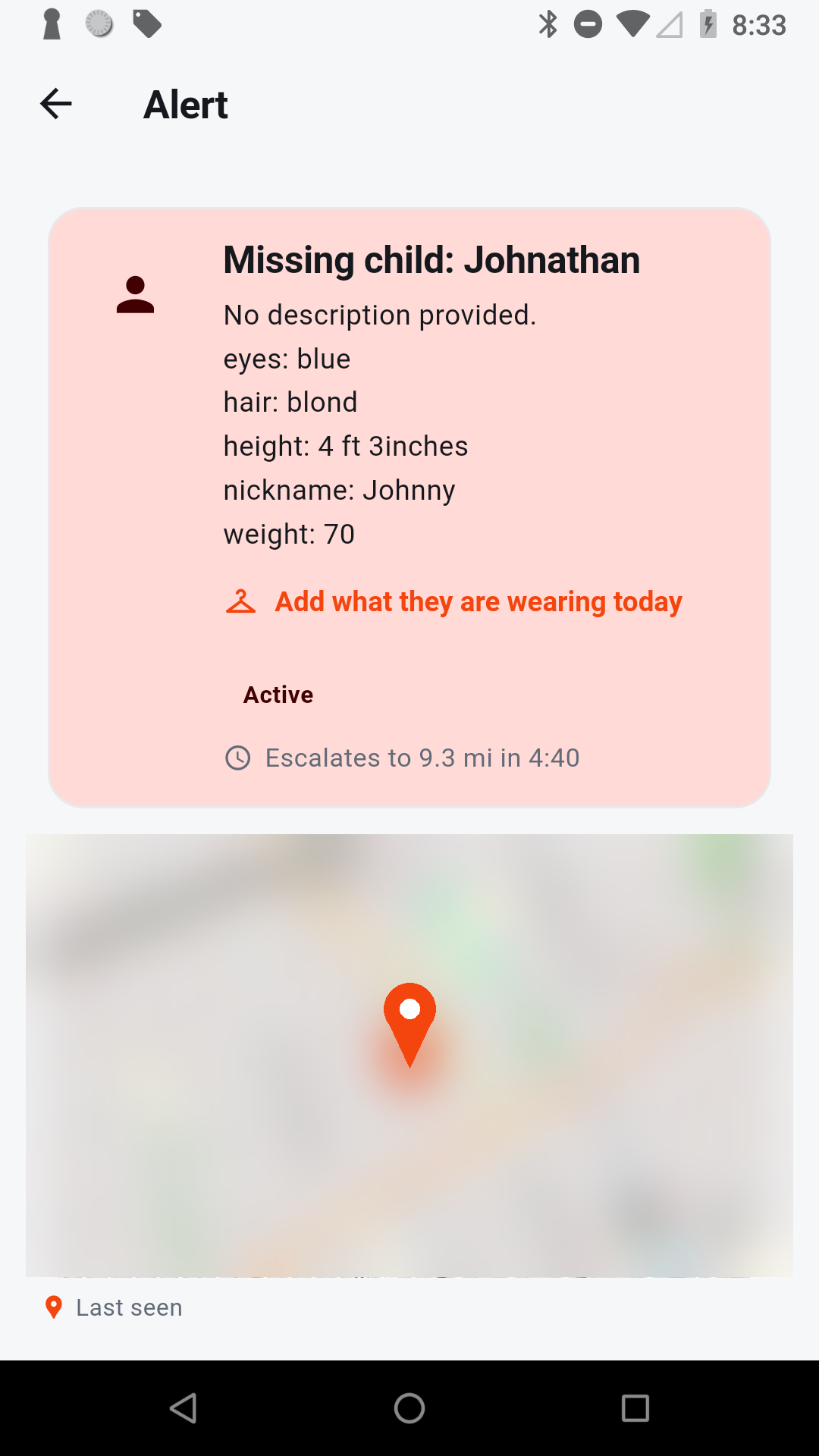
Helpers get a notification with the photo, description and last-seen point on a map. They can tap "I'm responding" and send a sighting, with a photo if they have one. Sightings go privately to you and our team. We rank them by how well they agree with each other and how complete they are, so the useful ones rise to the top.
As the hours pass you can add what they're wearing today; it goes into the next notification. If sightings cluster away from where the search started, a second alert follows the trail.
6. When police arrive, your report is ready
SafeLocator compiles a one-page report: who is missing, last seen where and when, the timeline, contacts and sightings, with the photo. Show it on your screen, send it as a text or PDF, or show a QR code that opens it on the officer's laptop. It's saved on your phone, so it works with no signal.
7. Long searches don't fade away
If a case stays open a long time it goes quiet rather than escalating forever, then periodically re-broadcasts "still missing" to re-engage people. A new sighting wakes it up.
What SafeLocator doesn't do
- It doesn't call 911 for you. You still need to call. Past 150 km the app asks whether you have, and that answer is what unlocks the nationwide steps.
- It doesn't issue AMBER Alerts. Those come from law enforcement. Our report helps the officer file one faster.
- It doesn't track anyone. The missing person carries nothing, and nobody's location history is kept.
Set it up before you need it.
It takes about five minutes to add someone. Helping others is free, forever.